 When it comes to staying in touch with your family and friends while behind the wheel, we all know that it’s best to keep your cellphone in your pocket or purse. What do you do when you just have to communicate? Do it intelligently and safely with a smartphone integration system like Android Auto. Let’s look at the functionality of this unique communication solution.
What Is It?
 Android Auto is a software suite that runs on a multimedia source unit. Android Auto will work with most Android-based cellular phones running version 5 (Lollipop) or newer of the Android operating system.
Android Auto provides users with an intuitive and easy-to-use interface that allows them to make phone calls, send and receive text messages, play music, and use Google Maps for GPS-based navigation. The entire interface was designed specifically to be used while in the car. The icons are large and easy to read, and you can use Google’s voice recognition interface to execute commands for most functions.
How Do I Use It?
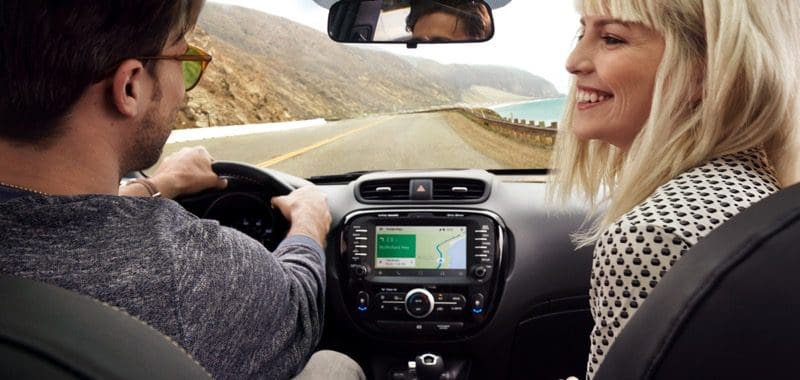 It’s very easy to use Android Auto. Start by downloading and installing the Android Auto application on your smartphone from the Google Play store. Pair your phone to the radio over Bluetooth. Plug the USB cable into your phone. Depending on the model of your source unit, Android Auto should launch automatically or may require that you should press the Android Auto button. From there, you will see the home screen with information such as recent navigation searches and weather information. All you have to do to start using Android Auto is press the microphone button and talk. If you prefer to press buttons, there is a row of smart keys at the bottom of the screen.
What Can I Do?
 Let’s say you get stuck in traffic and you need to call someone with whom you have an appointment. Press the voice button and simply say, “Call Sam Smith” or “Call 321-555-1234.” The radio and phone will take care of the rest. The same goes for sending a text message; simply press the voice button and say “Send Sam Smith a text message.” The system will respond by asking what you want to say, to which you can reply, again verbally, “Hi, Sam, I’m stuck in traffic. I will be 20 minutes late. Please accept my apologies.” Google will send your text message. If and when Sam responds, you can ask Android Auto to read you the reply message.
Picking a song from the music stored on your phone is just as easy. Press the voice button and ask it to “Play Lorde” or anything else you have available.
 You can use the voice recognition system to select a navigation destination just as easily. Simply press the voice button and say, “Take me to the nearest gas station” or “Find me an Italian restaurant” or “Plot a route to 555 Renegade Road in Bismarck.” There are several benefits to using Google Maps to assist in planning your route. You have access to the latest destination information from the inconceivably massive Google database. You always have the latest mapping. There is never a need to buy anything. Google provides real-time traffic flow information to help plan your route efficiently.
Additional Android Auto Applications
 Android Auto has released a development kit to allow third-party companies to create applications that will integrate with Android Auto. These apps include Pandora, iHeartRadio, Spotify Music, TuneIn Radio, Skype and many more. You also get access to Google Play Music for free for 90 days when you first start using Android Auto. That’s 30 million songs, right at your fingertips.
If you have an Android phone and are looking for a safe way to stay in touch, be entertained and get the best driving directions available, all while driving, then drop into your local car audio specialist retailer. Bring your phone along – chances are they will have a unit on display that you can try out.
This article is written and produced by the team at www.BestCarAudio.com. Reproduction or use of any kind is prohibited without the express written permission of 1sixty8 media.

Leave a Reply